Now in Google Play closed testing

Weigh it. Know it. Keep it on your phone.

Noshery turns a weight and a per-100 g label into an exact calorie and macro entry. Your log lives on your device, not in someone else's cloud.

Android only. No account needed to start logging.

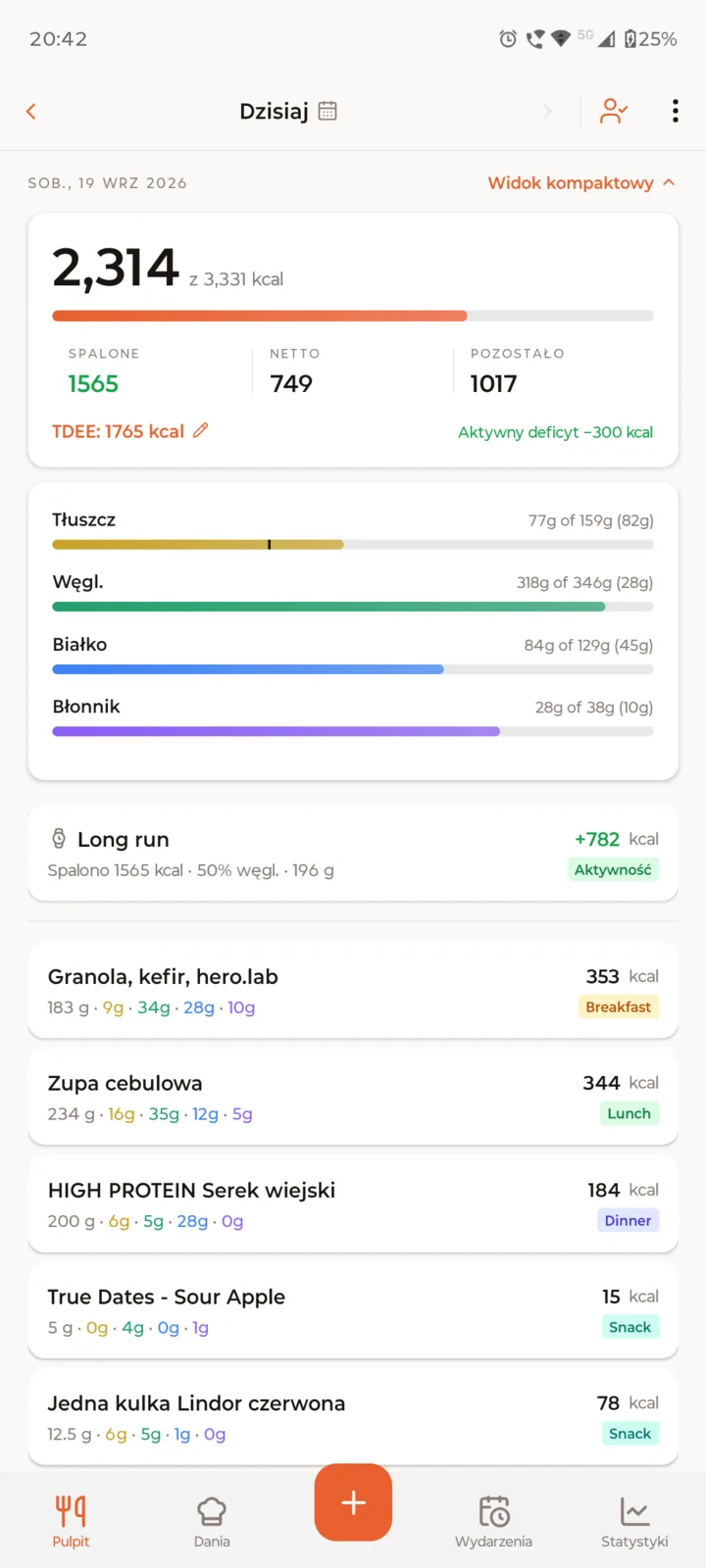
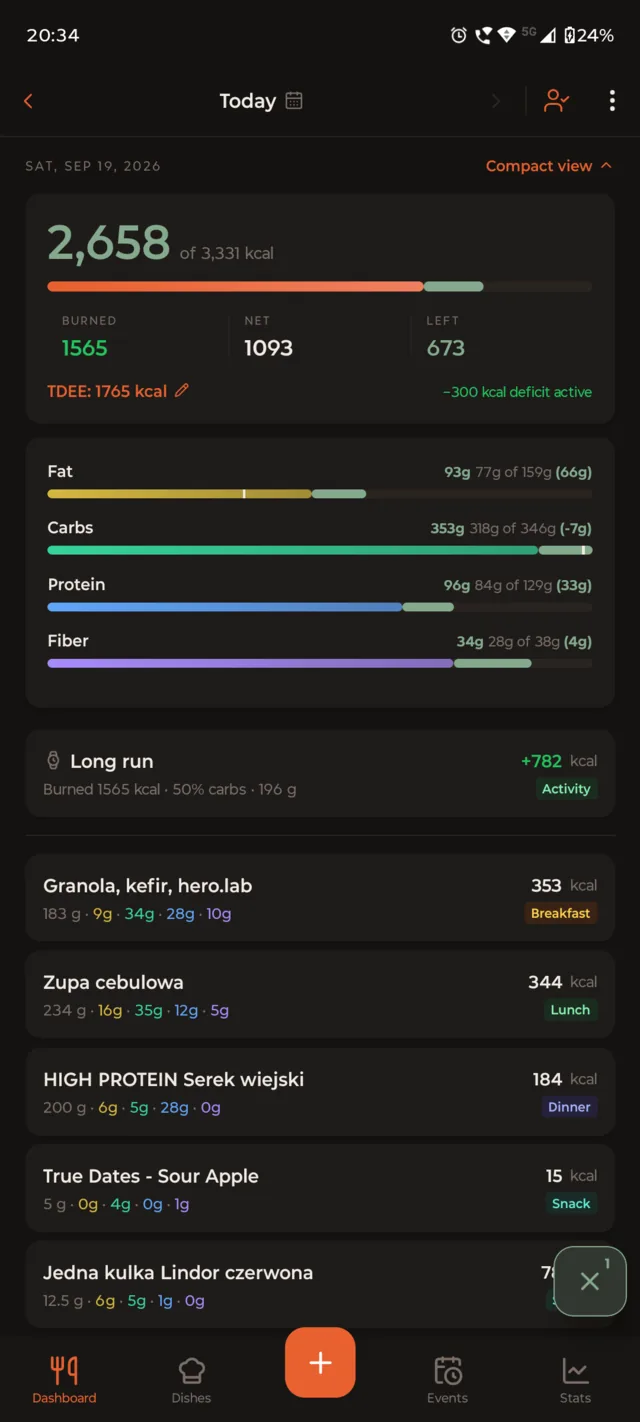
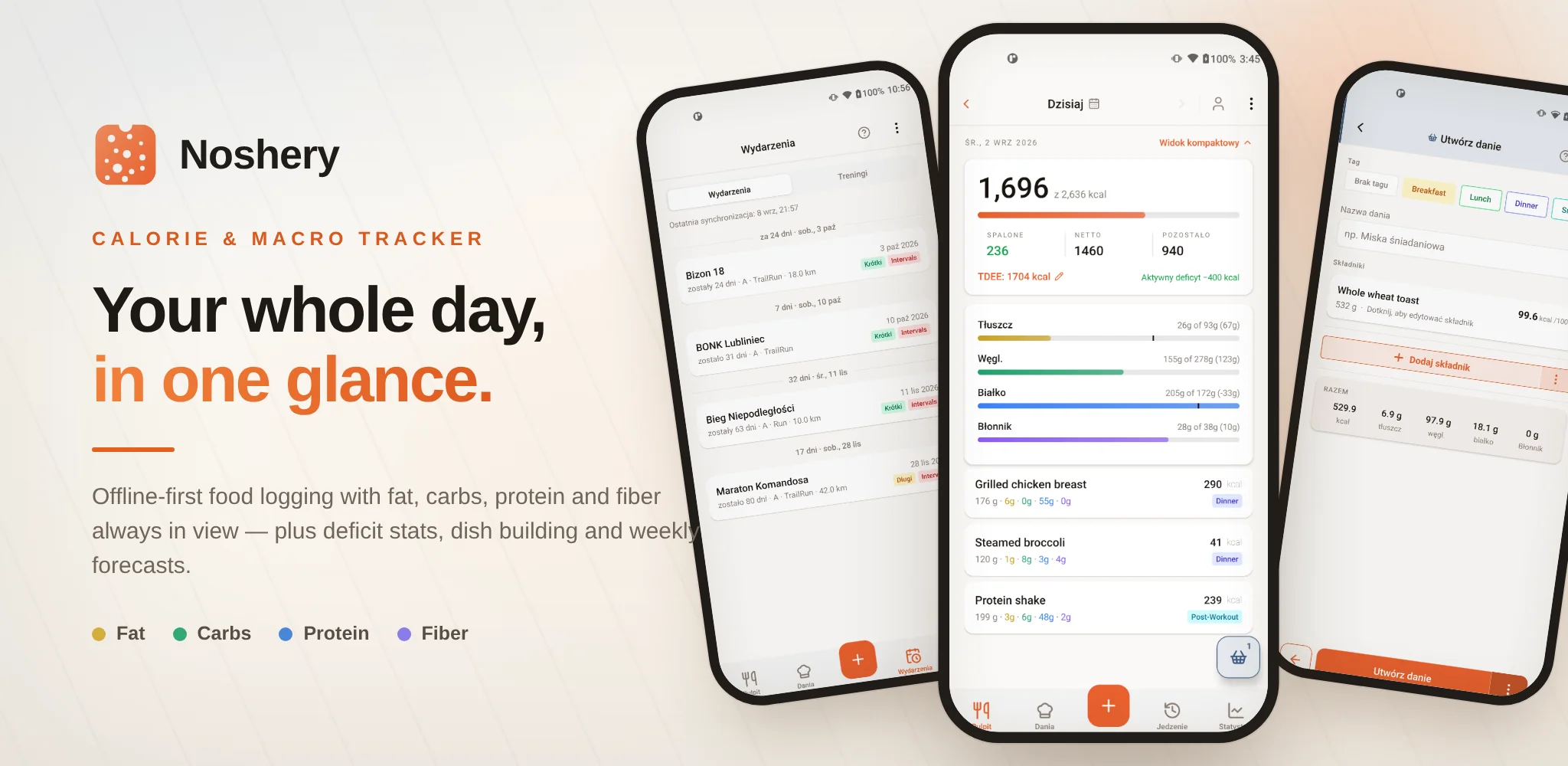
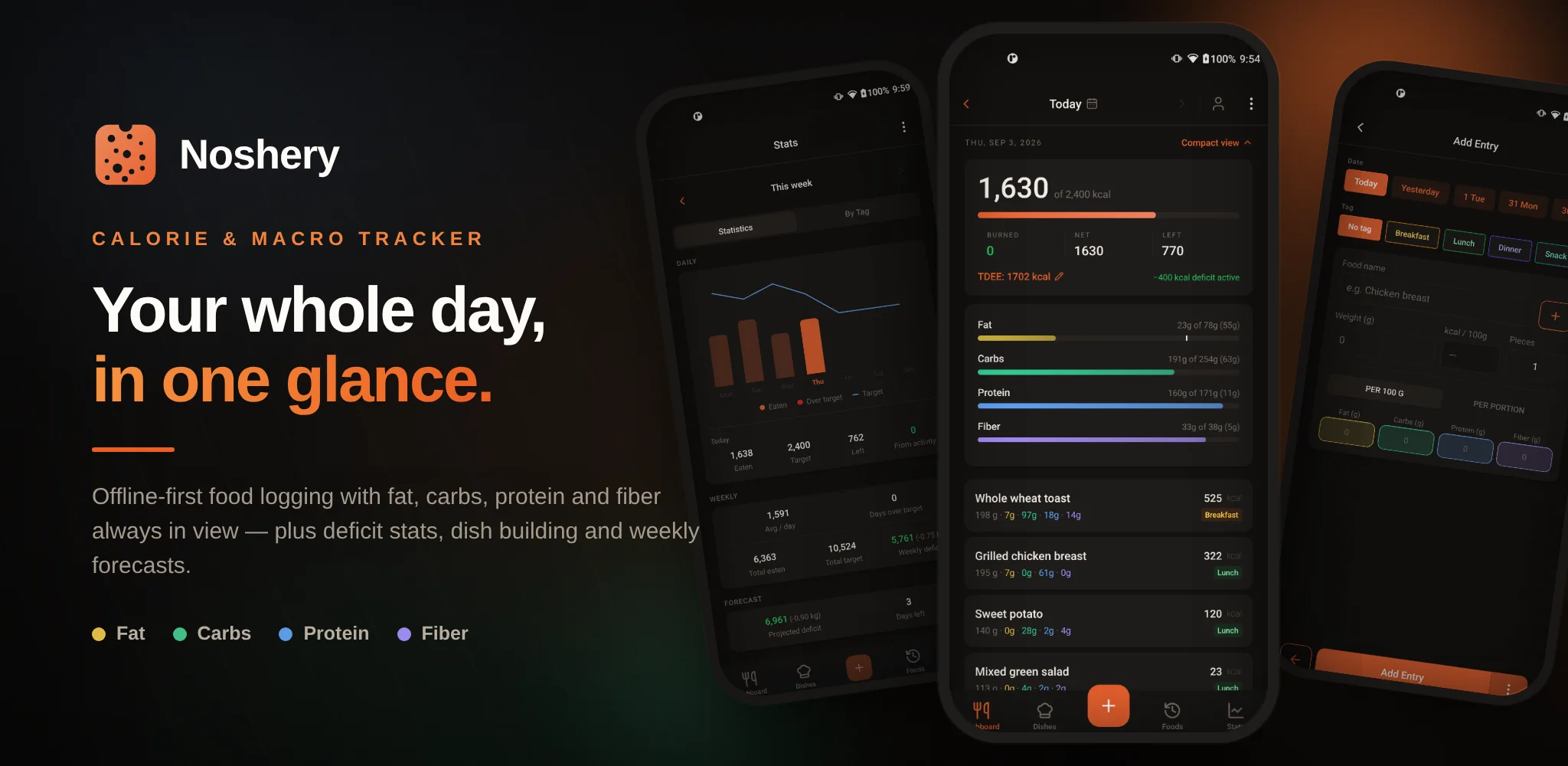
See your day Calories, macro bars, and every entry, at a glance.

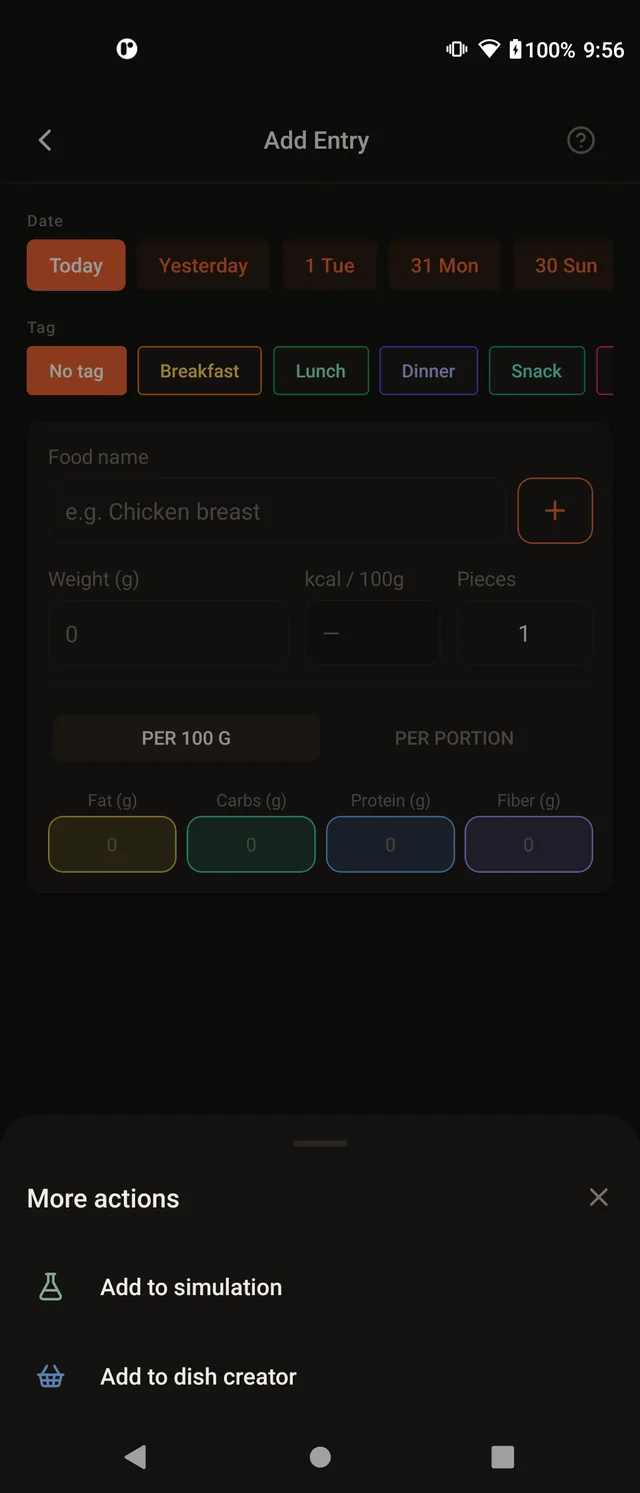
Log by weight A weight and a per-100 g label become an exact entry.

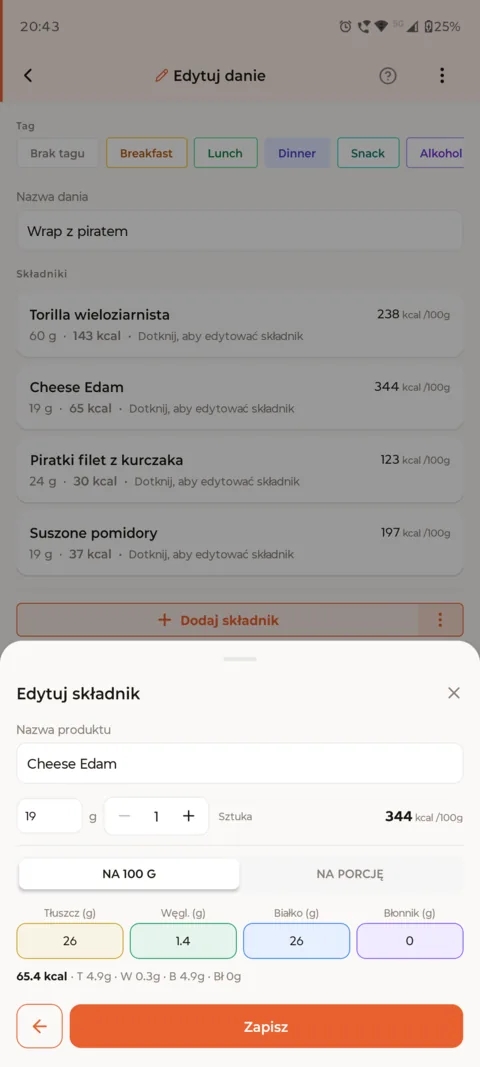
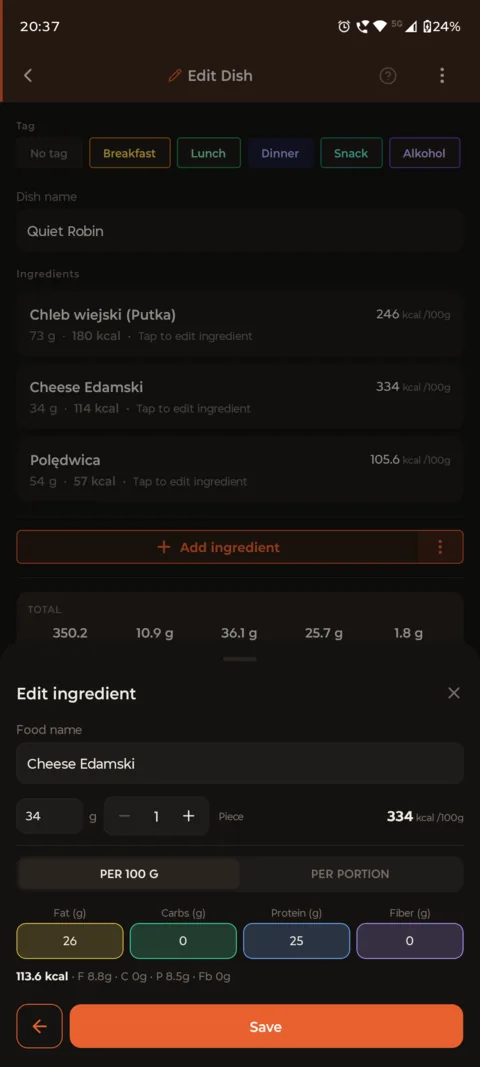
Build a dish once Combine ingredients, then log the whole dish in a tap.

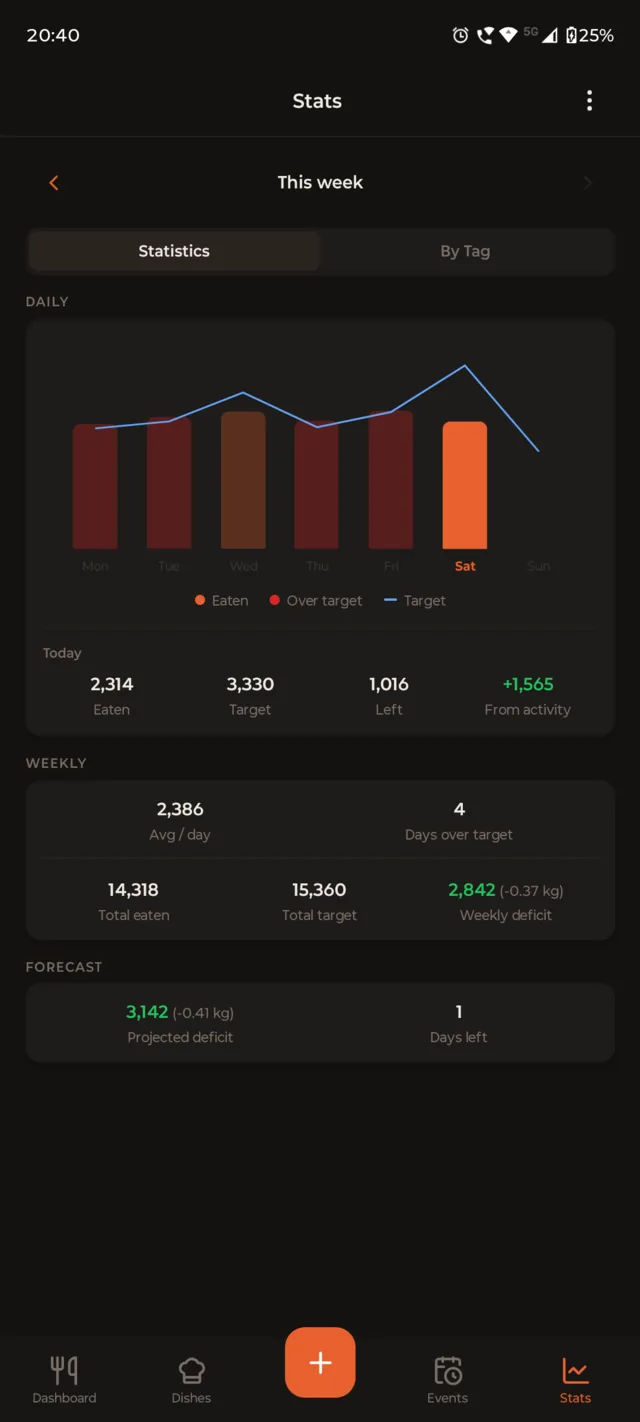
Daily and weekly trends Totals for intake and activity, so one off day doesn't define the week.

Simulate before you eat Drop items in the basket and preview the whole day.

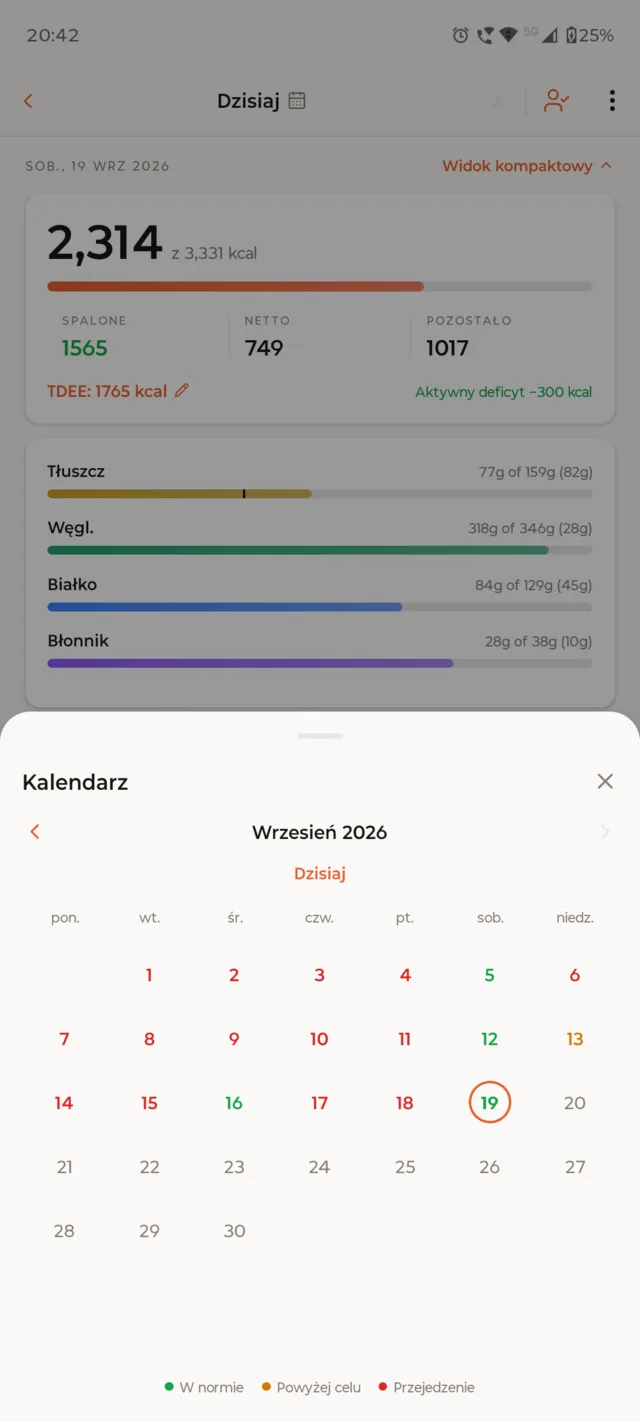
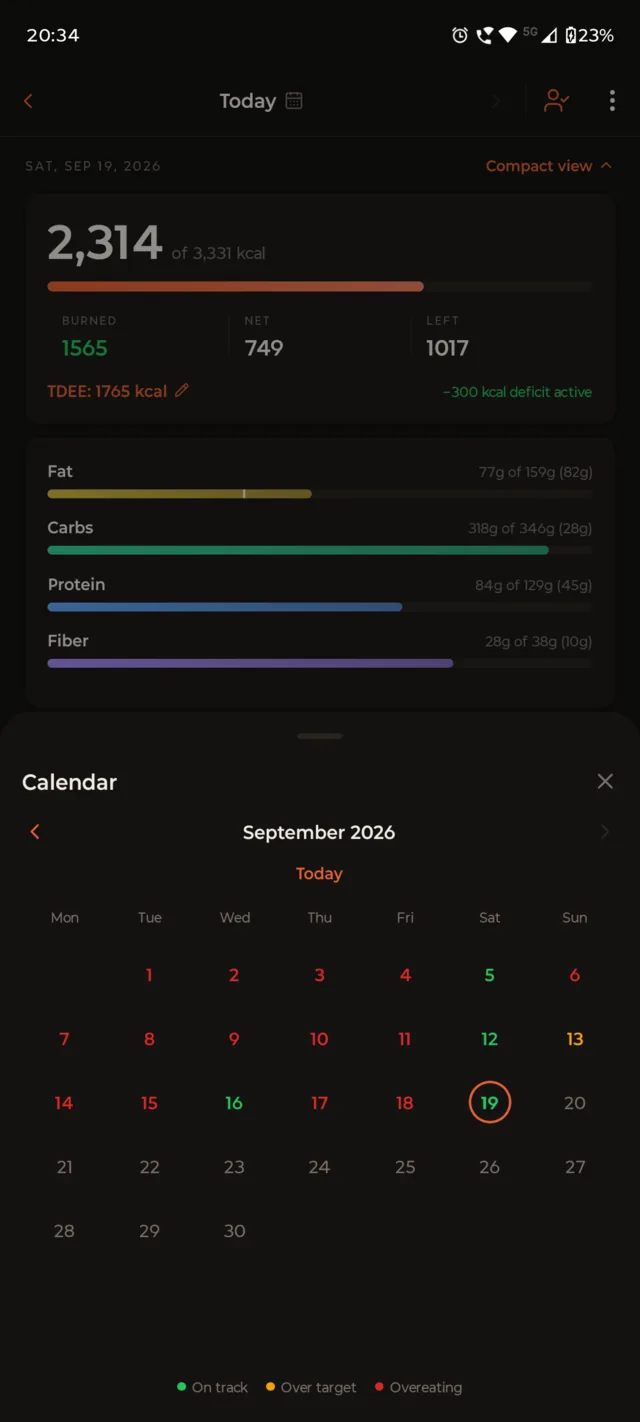
Step back any day The calendar colour-codes every day by how the target went.

Noshery's daily dashboard: calories logged, macro bars, and today's food entries.

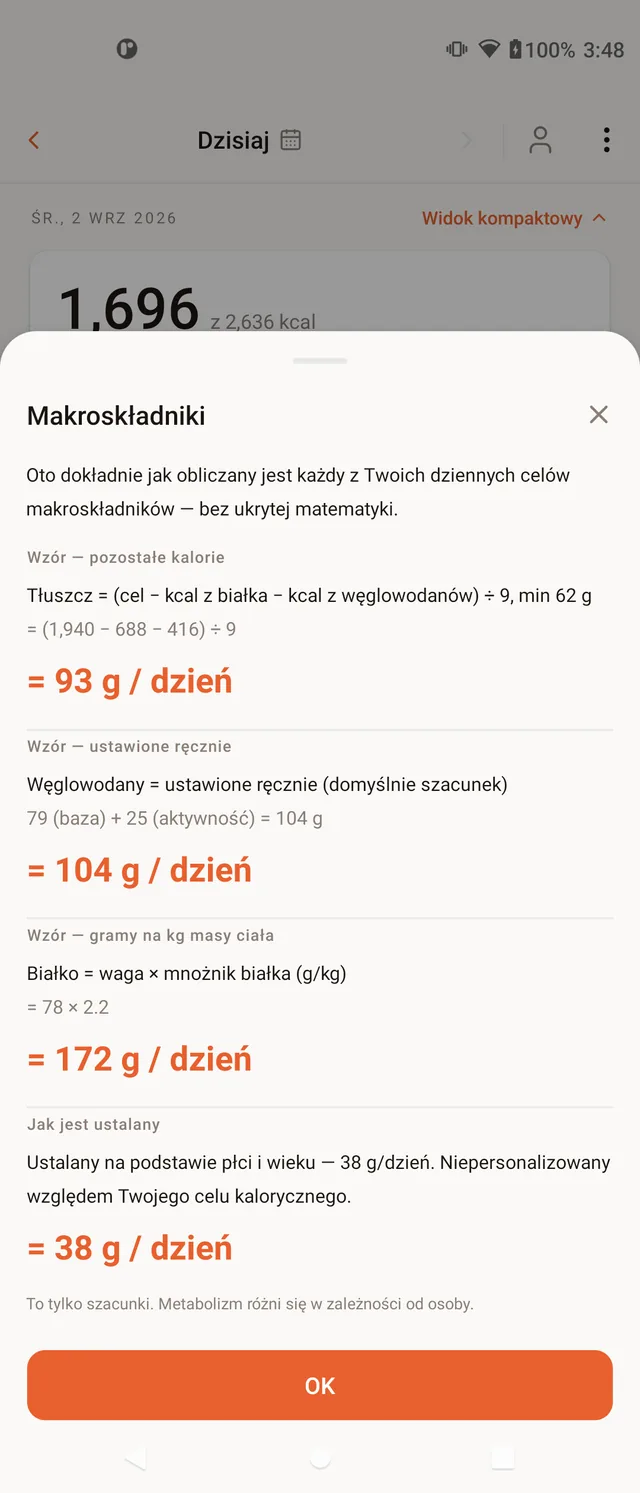
No hidden math.

No guessing a calorie number. You enter the macros per 100 g off the label. Noshery scales them to what you weighed, works out the calories, and shows every step, including how your daily target comes from your RMR, TDEE and deficit.

01

Weigh what's on the plate

Enter the food and its weight, the two numbers you read off a kitchen scale.

02

State the rate, per 100 g

Type the macros for 100 g from the label or a reference table. Noshery works out the calories.

03

Read the calculated total

Noshery scales the macros to your weight, works out the calories, and files it into today's log.

Example

247 g chicken · label per 100 g: 30.8 g protein · 3.6 g fat

Scale
247 ÷ 100 = 2.47
protein
30.8 × 2.47 = 76 g
fat
3.6 × 2.47 = 9 g
Calories
76 × 4 + 9 × 9 = 304 + 81 = 385 kcal

4 kcal per g of protein or carbs, 9 per g of fat, 2 per g of fiber.

Noshery scaling the per-100 g macros to the weighed portion and totalling the calories.

What the app does today

Every item below is a working part of Noshery, not a roadmap promise.

Weight-based food entry

Name the item, give its weight and the macros per 100 g. Noshery scales the portion, works out the calories and totals the entry, with fat, carbs, protein and fiber all tracked. Everything you log is saved to a reusable food library, so next time you pick the food and just set the weight. Log several identical pieces at once with the Pieces field, on a food entry or a dish ingredient, or swipe a logged row and tap +1 to add another.

Today, and every day before it

The day’s calorie ring fills as you add entries, and a weekly forecast shows where you’ll land if you hold the line. Override calories, protein or carbs for a single day when you need to, and step back to any past date from the calendar.

Building a dish from its ingredients, editing one ingredient's per-100 g macros.

Dishes and a simulation basket

Build a dish once from ingredients you weigh up front, then log the whole thing in a tap and reuse it any day. Drop items into the simulation basket to preview the day before you log anything.

Cooked it differently this time? Adjust it as you log:

  1. Open the dish and pick the day. Every ingredient appears with its saved weight.
  2. Change any weight, say less rice or a bigger portion of chicken. Calories and macros update as you type.
  3. Tap Log It. Today's version is saved as a new entry, and the dish itself stays exactly as you built it.

Daily and weekly statistics

Separate totals for intake (kcal and macros) and activity (kcal) for the day and the week, so one off day never defines the trend. Tag entries and dishes by meal and break the numbers down by tag.

Paste an AI or rough estimate

Paste a macro breakdown from an AI assistant or a quick guess. Noshery checks the numbers, then logs it in one tap, as an entry or as a new dish.

Generate an AI estimate (bring your own key)

Add your own API key for Gemini, OpenAI, Anthropic, or a custom OpenAI-compatible endpoint, describe a meal in plain text, and get a macro estimate back. The request goes straight from your phone to the provider you chose, using your key, never through our servers.

Barcode scan

Scan a packaged product and Noshery pulls its per-100 g macros from Open Food Facts, with the entry weight prefilled from the serving size on the label.

Backups, export and shareable links

Noshery backs itself up automatically, with a restore if you need it, and you can export the whole log by hand. Share a dish or entry as a link; on Android it opens straight in the app.

Optional cloud sync

Create an account to back up your data and pick it up on another device. Sync only runs when you tap Sync Now, never in the background. Add TOTP two-factor for extra security, or unlock the app with biometrics instead of typing your password.

Notifications and custom reminders

Turn on topic-based push notifications, like sync reminders, or set your own local reminders at whatever times work for you.

Optional intervals.icu link

Connect intervals.icu with your own API key and athlete ID to pull in weight and activities, and push your daily totals back. The call goes straight from your phone to intervals.icu, never through our servers.

Interface shown in Polish.

Any day. Every week.

The calendar colour-codes each day by how the calorie target went: on track, over target, or overeating. Tap through to the full log for that date; the weekly statistics roll it all up.

A month calendar with days colour-coded by how the calorie target went.

Your race calendar, in the tracker

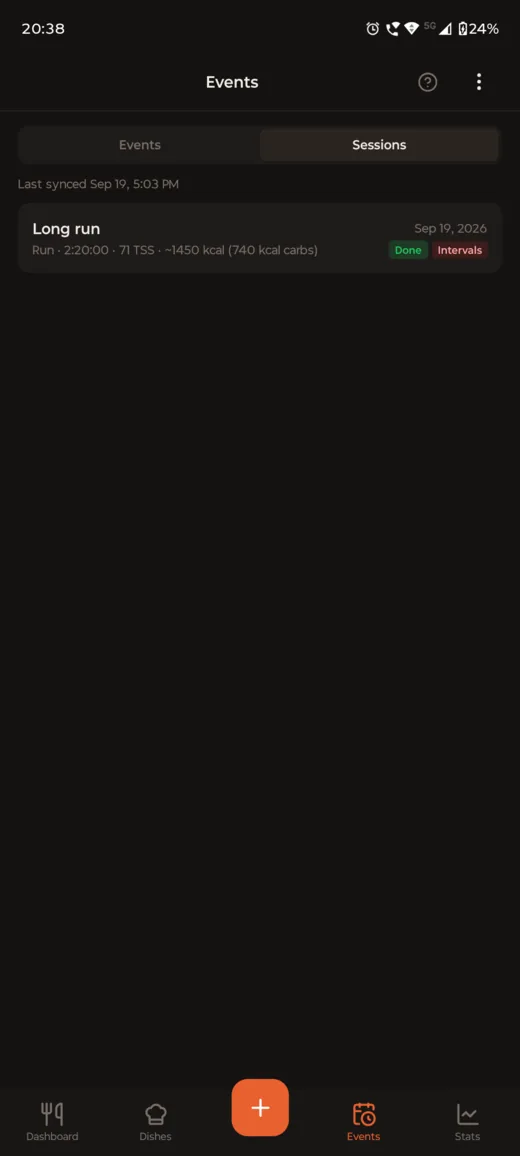
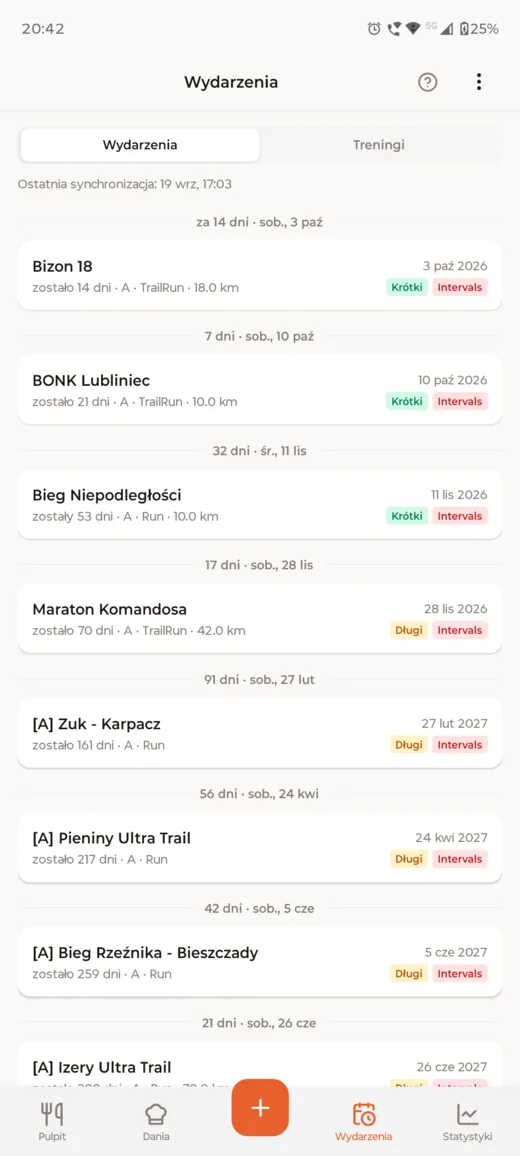
The Events tab holds your upcoming races and planned training sessions. Connect intervals.icu and they sync in automatically, each with a countdown, priority, sport and planned distance, or add them by hand. Tap any one for its full detail sheet.

  • Races and planned sessions on their own tabs, grouped by date with days to go.
  • A source badge on every row: synced from intervals.icu, or added by hand.
  • Recovery Mode and Pre-Event Mode from the header menu: ease carbs up before a race, or eat at maintenance while you’re ill.
  • On a day with nothing logged yet, the next planned session shows on the Today screen as a card.
The Sessions tab showing a planned training session synced from intervals.icu.
The Events tab listing upcoming races, each with a countdown, priority and distance.

Planned training counts toward today’s target

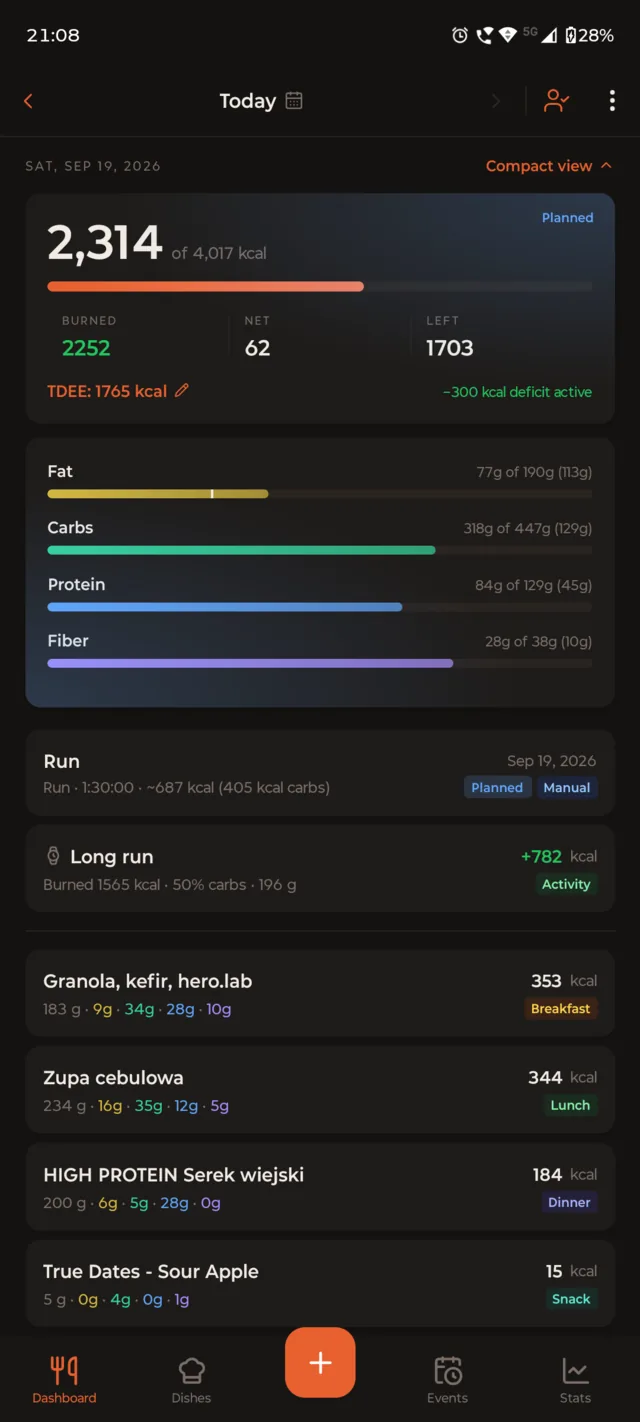
With a session on your calendar, Noshery adds its estimated energy to today’s burn, so the calorie target and carb goal already make room for the run you haven’t done yet. The calorie card is tagged Planned, so you can tell it from what you’ve already burned.

  • Uses the session’s estimated calories and carbs, from intervals.icu or your own entry.
  • Switch it on or off any time from the header menu: Include planned workouts.
The Today screen with a planned run added to the burned calories, the calorie card tagged Planned.

Shown in light and dark theme.

Your food log is nobody else's business.

Noshery is offline-first. Your entries, weight history, dishes and profile are stored on your device and are not sent anywhere unless you turn on an optional feature that needs it. You can use the whole app without an account.

Full privacy policy
  • No ads, no ad networks, no ad identifiers.
  • No third-party analytics, attribution or behaviour-tracking SDKs.
  • No selling or sharing your data for marketing.
  • No AI or LLM calls unless you add your own API key. "Paste AI estimate" only decodes text you paste in, on your device.
  • Cloud sync is optional and on-demand only — nothing leaves your device unless you create an account and tap Sync Now.

Coming next

The app stays the centre of Noshery. These extend it for people who want to drive it from a computer or an AI assistant.

Planned A web companion

A browser surface for parts of the workflow that are easier on a keyboard, such as building dishes and reviewing statements.

Planned An MCP server

A Model Context Protocol server so an AI assistant can read your dashboard, foods and dishes and add entries, with the app updating on change.

Use an AI to build import codes today →
Noshery, a calorie and macro tracker: your whole day, in one glance.

Get the app

Noshery is Android-only and currently on the Google Play closed testing track.

Google Play closed testing is invite-only

Play Console rule: you have to be added as a tester before the Play Store link works. Email the Google account address you use on your phone to contact@noshery.pl and you'll be added, then open the link above.

Or sideload the APK directly

Install it yourself without Google Play. Android will ask you to allow installs from your browser the first time. Check the SHA-256 below against the file if you want to be sure.

Version: 1.11.1 Size: ~125 MB SHA-256: 015cf298c4c79e9960cc2cf78b9f273060e8d24dfe40052efd6f2cc09bd007bc